Patient Feedback for Dental Practices
Find out how each visit felt, from the front desk to the chair, invite every patient to review your practice on Google, and follow up quickly when a visit fell short.
14-day free trial, no credit card required
How Dental Practices Use DenAdvisor
Ask about the visit, not the treatment
Invite patients to rate the overall experience: scheduling, wait time, the front desk, comfort. Quick tags and short comments keep feedback general.
QR code at checkout
Place the print-ready QR code or PDF flyer at the front desk or on the appointment card. Patients scan with their phone camera, with no app to download.
Follow up quickly on a poor visit
When a patient rates 1–3 stars, the practice is alerted right away and the patient can send a private note, so you can call them back.
Spot patterns over time
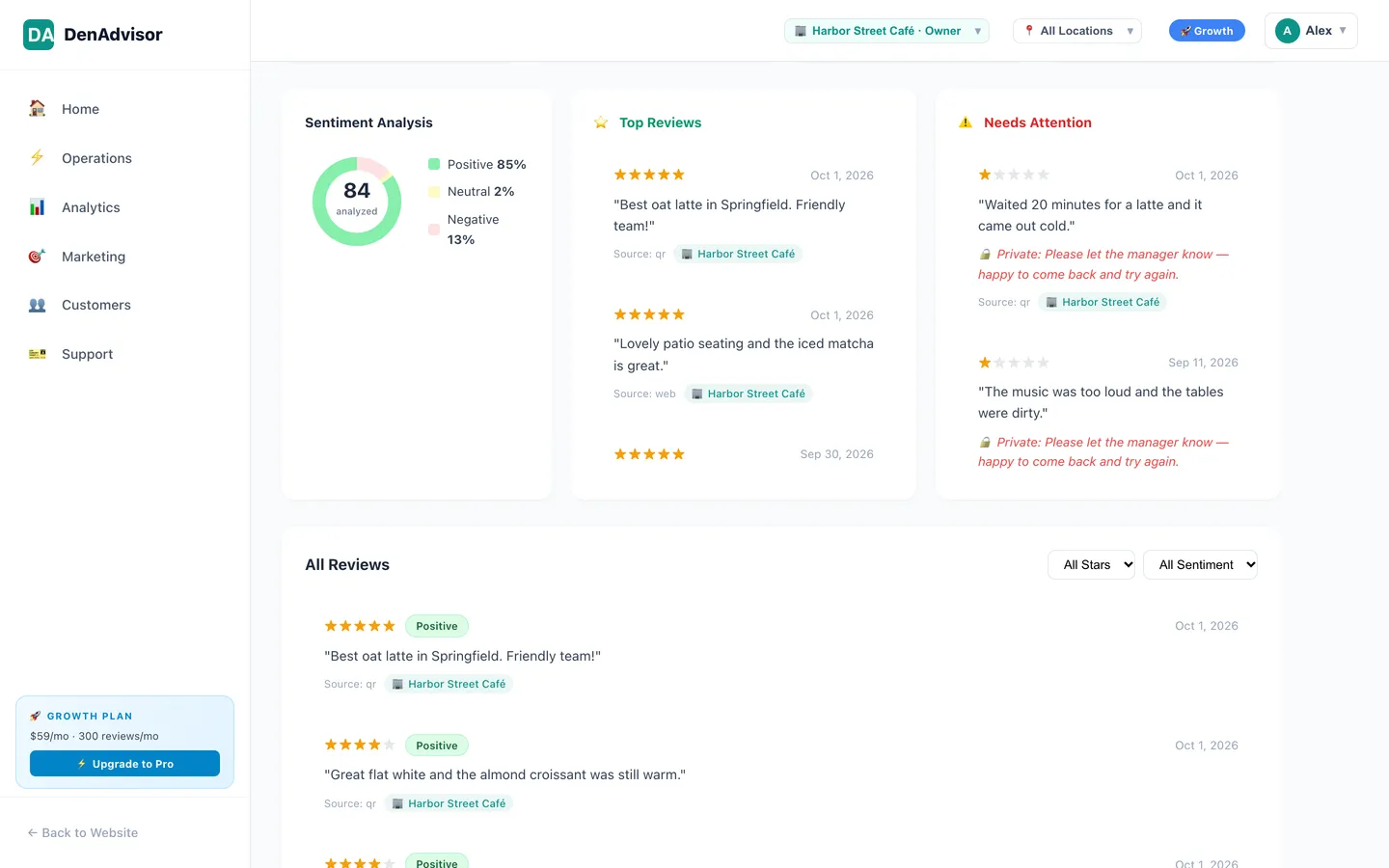
Review trends, rating distribution and keyword themes ("What they love", "Areas to improve") show whether wait times or billing questions keep coming up.
Front desk as staff
Give front-desk team members the Staff or Manager role so they can redeem coupons in the app. They see only the practices they are assigned to.
MFA on by default
Business users sign in with email-code multi-factor authentication, and access is role-based per business.
Patient Privacy Comes First
Reviews are public. Keep these rules in place at your practice.
Keep feedback general
Ask about the experience, not the procedure. Never ask patients to describe treatments, diagnoses or other health details in a review.
Never reply publicly with patient details
Responding to a public review with anything that confirms someone is a patient or describes their care can violate HIPAA. Take the conversation offline.
Keep health information out of DenAdvisor
DenAdvisor is a feedback, loyalty and coupon tool, not a patient records system. Do not enter treatment notes or other health information in it.
Ask every patient the same way
Google prohibits selectively asking happy patients for reviews. DenAdvisor shows every patient your review link, whatever their rating.
This page is general information, not legal advice. Check your obligations under HIPAA and your state's rules with your compliance advisor.
Every Patient Sees Your Review Link
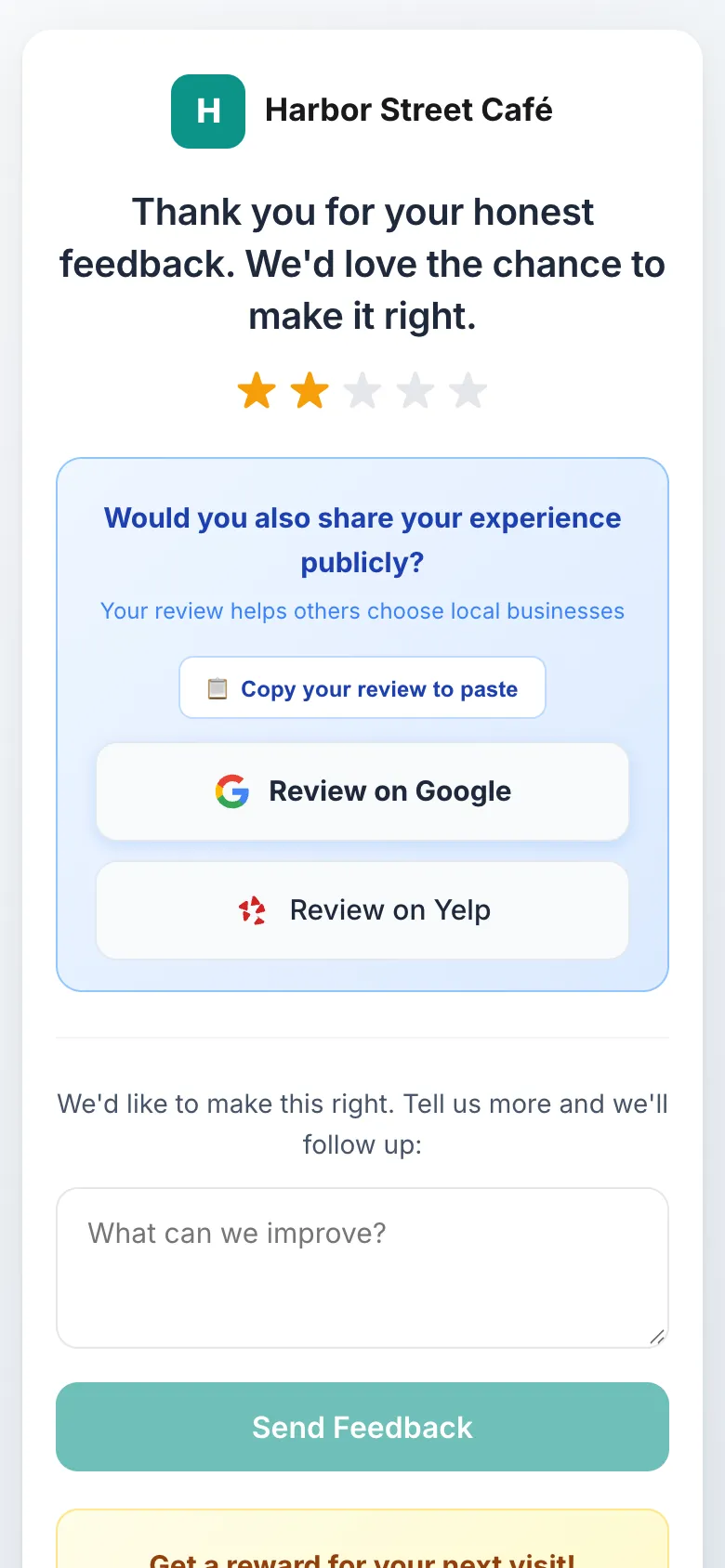
DenAdvisor is rating-blind. A patient who rates the visit 5 stars and a patient who rates it 2 stars both see your Google review link on the same screen.
- Patients who rate 1–3 stars can also send the practice a private note
- The practice is alerted by push or email, or in a daily digest
- The private form is optional, and patients stay free to post publicly
Read the details in our trust & review policy.
See What Patients Say, All in One Place
The reviews page collects every piece of feedback patients submit to your practice, with ratings, tags and comments. Insights show review trends, rating distribution and keyword-based themes, so the team can see what to keep doing and what to fix.
Coupons, used carefully
If you offer promotions, DenAdvisor coupons can be a percentage off, a dollar amount off or a free item, with an expiry date and usage limits, and each code is single-use. Front-desk staff redeem them in the DenAdvisor app. Check the rules on patient inducements that apply to your practice before running one.
Frequently Asked Questions
Is DenAdvisor a HIPAA-compliant patient system?
DenAdvisor is a feedback, loyalty and coupon tool and is not designed to store protected health information. Ask patients for general feedback about their visit, and do not enter treatment details or other health information in DenAdvisor. For questions about your own obligations, talk to your compliance advisor.
Can I respond to a negative Google review from a patient?
DenAdvisor does not post replies to Google reviews. If you reply yourself, never confirm that the reviewer is a patient or mention their care, as that can violate HIPAA. A short, general reply inviting them to contact the office is safer.
Can we offer patients a reward for feedback?
A DenAdvisor reward is for feedback submitted to your practice, issued whatever the rating, and never for posting on Google. Rules on patient inducements can be stricter for patients covered by government health programs, so check with your advisor before offering one.
What do patients see after they rate a visit?
Every patient sees your Google review link, plus any other review sites you add, whatever their rating. Patients who rate 1–3 stars are also offered an optional private form to tell the practice what went wrong.
Does DenAdvisor integrate with dental practice management software?
No. DenAdvisor does not integrate with practice management or point-of-sale systems. Patients reach your feedback page through a QR code or link.
Hear From Every Patient
Set up patient feedback and your QR code in one sitting.
14-day free trial, no credit card required