Digital Punch Cards and Feedback for Coffee Shops
Swap paper stamp cards for a digital punch card your baristas scan in seconds, hear how every visit went, and invite every customer to review you on Google.
14-day free trial, no credit card required
How Cafés Use DenAdvisor
A digital punch card for drinks
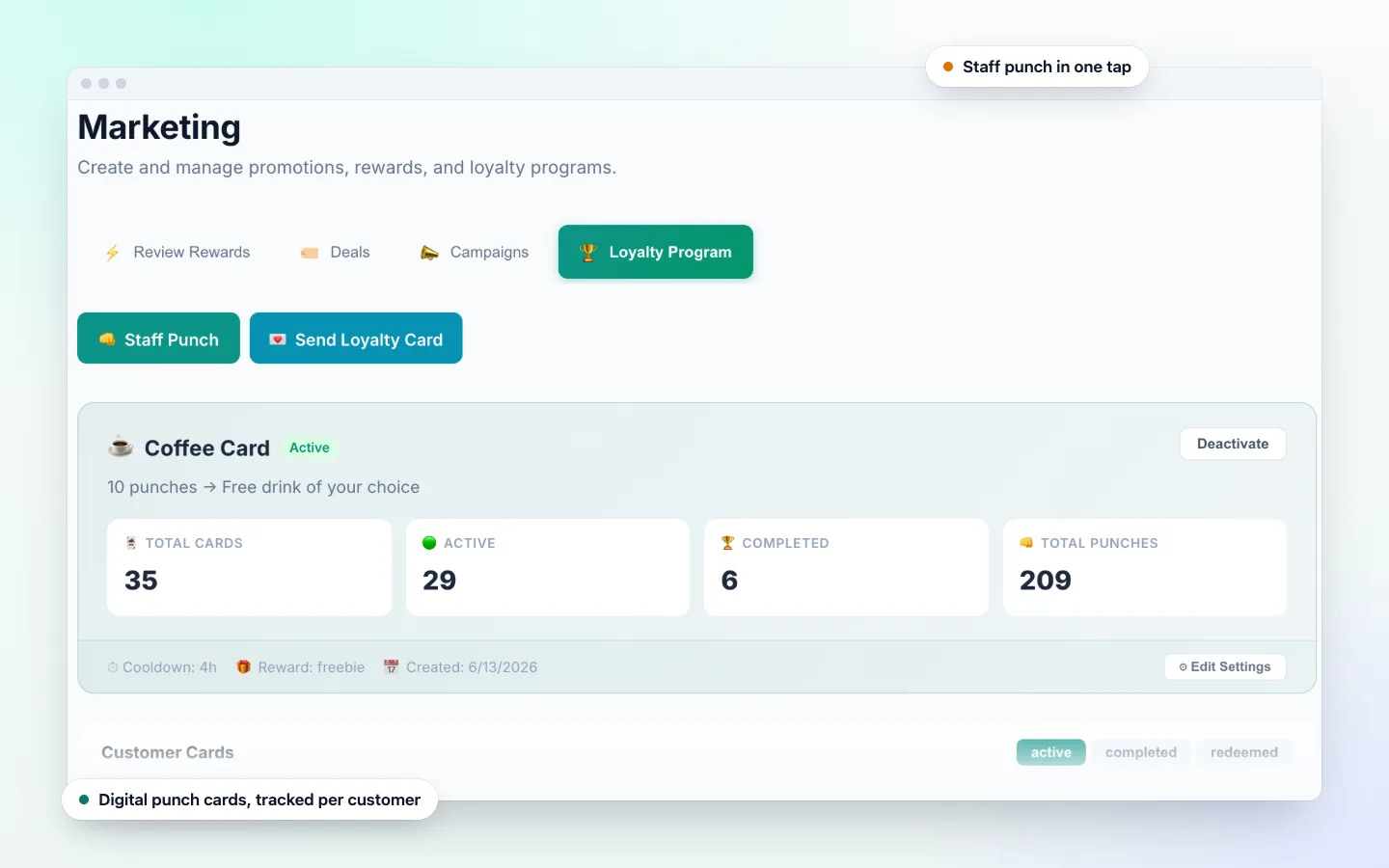
Choose how many drinks earn a reward and what it is, such as a free drink of any size. Customers keep the card on their phone instead of a paper card in their wallet.
One punch per visit
Set a cooldown between punches, so a card cannot be punched twice in a row during the morning rush. Only your staff can add punches.
QR code by the register
Put the print-ready QR code on the counter, the pickup shelf or a table card. Customers rate their visit while they wait for their order.
Deals for slow hours
Publish a deal in the DenAdvisor app for a quiet afternoon. Nearby app users can find and claim it with a signed-in account.
Reminders that bring regulars back
Customers get a push notification when they earn a reward and before it expires, and a quarterly win-back push when a card has lapsed.
Hear about the coffee and the service
Keyword themes such as "What they love" and "Areas to improve" show what comes up most, from the oat-milk latte to the wait at peak times.
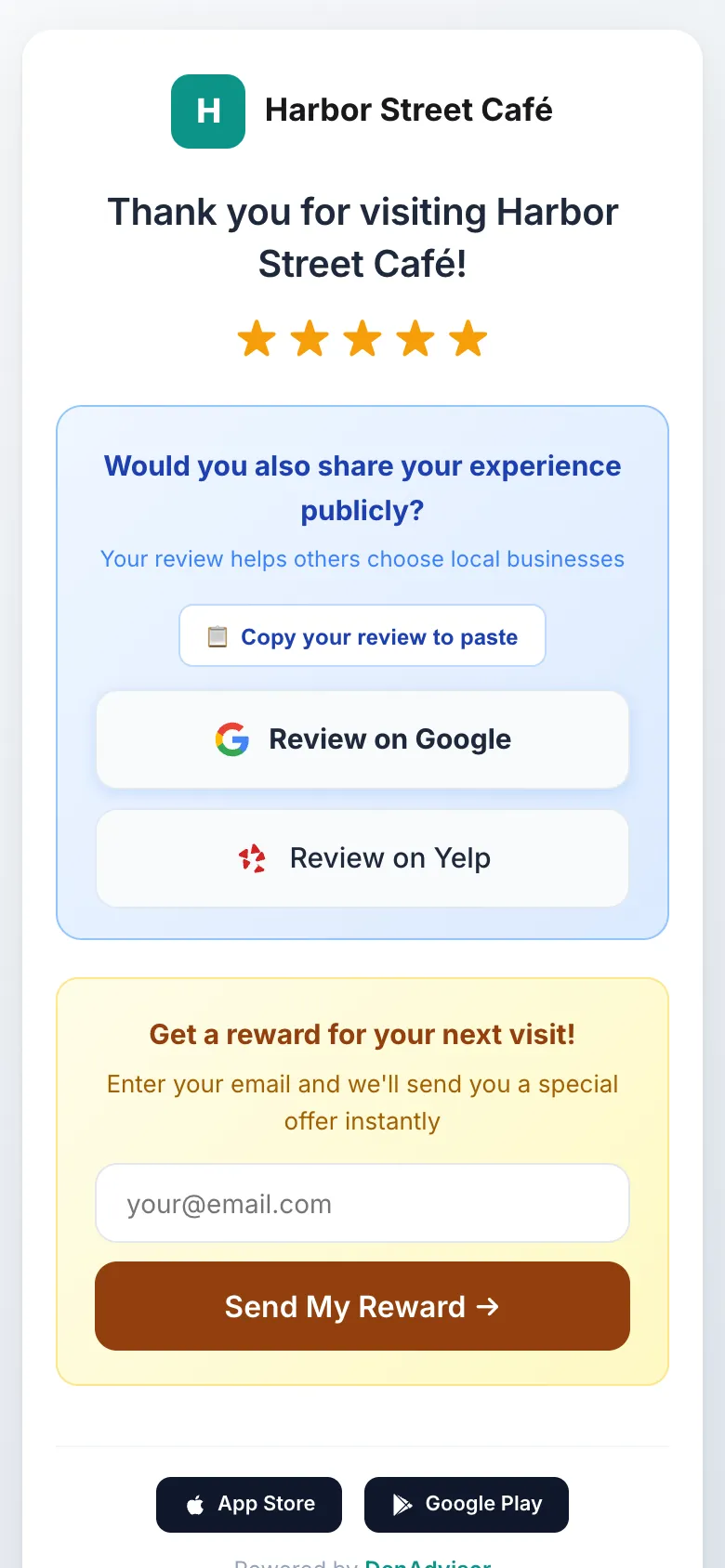
Feedback While They Wait for Their Order
Customers rate their visit in a few seconds and get a one-tap link to review your café on Google, plus any other review sites you add.
- Customers who rate 1–3 stars can also send you a private note
- You are alerted right away, so a cold drink or a long wait gets fixed
- Say thanks for feedback with a coupon or a free item
Loyalty and Coupon Ideas for Cafés
- Free drink after a set number of drink purchases
- A pastry coupon for the New segment, to bring first-time visitors back
- A VIP email thank-you for your most loyal regulars
- A Seasonal campaign when the fall or holiday menu launches
- Smart-value coupons: set a range and DenAdvisor picks the value by customer segment
The Barista Workflow
Customer orders and shows their card
They open their punch card or coupon on their phone at the register.
Barista scans it in staff mode
One scan adds a punch, or redeems a coupon. Each coupon code is single-use and verified at the counter.
Reward earned, notification sent
When the card is full, the customer gets a push notification and the reward appears in their wallet.
Frequently Asked Questions
How does a digital coffee punch card work?
You set the number of punches and the reward. When a customer buys a drink, your barista scans their card in staff mode in the DenAdvisor app to add a punch. When they reach the target they earn the reward and get a push notification.
Can customers punch their own card?
No. Punches are added by your staff scanning the customer’s card. You can also set a cooldown between punches so one visit earns one punch.
Do customers need to download an app?
Not to leave feedback. Customers scan your QR code and rate their visit in their phone’s browser. The free DenAdvisor app adds a wallet for punch cards and rewards, deals and push notifications.
Can I give a free coffee for a Google review?
You can thank customers with a reward when they share feedback with your café through DenAdvisor, and every customer sees your Google review link.
Does DenAdvisor connect to my point-of-sale system?
No. DenAdvisor does not integrate with point-of-sale systems. Staff add punches and redeem coupons in the DenAdvisor app on their phone, next to your register.
Retire the Paper Stamp Card
Set up your café’s digital punch card and feedback QR code today.
14-day free trial, no credit card required